

Sailing race start timer for Android, Wear OS and Samsung Galaxy Watch
Regatta Racer runs your start sequence, shows how far you are from the line and how long it will take to get there, then takes you round the course mark by mark. It works on an Android phone, a Wear OS watch, or both together, and it doesn’t need an account or mobile data on the water.
Hit the line at the gun
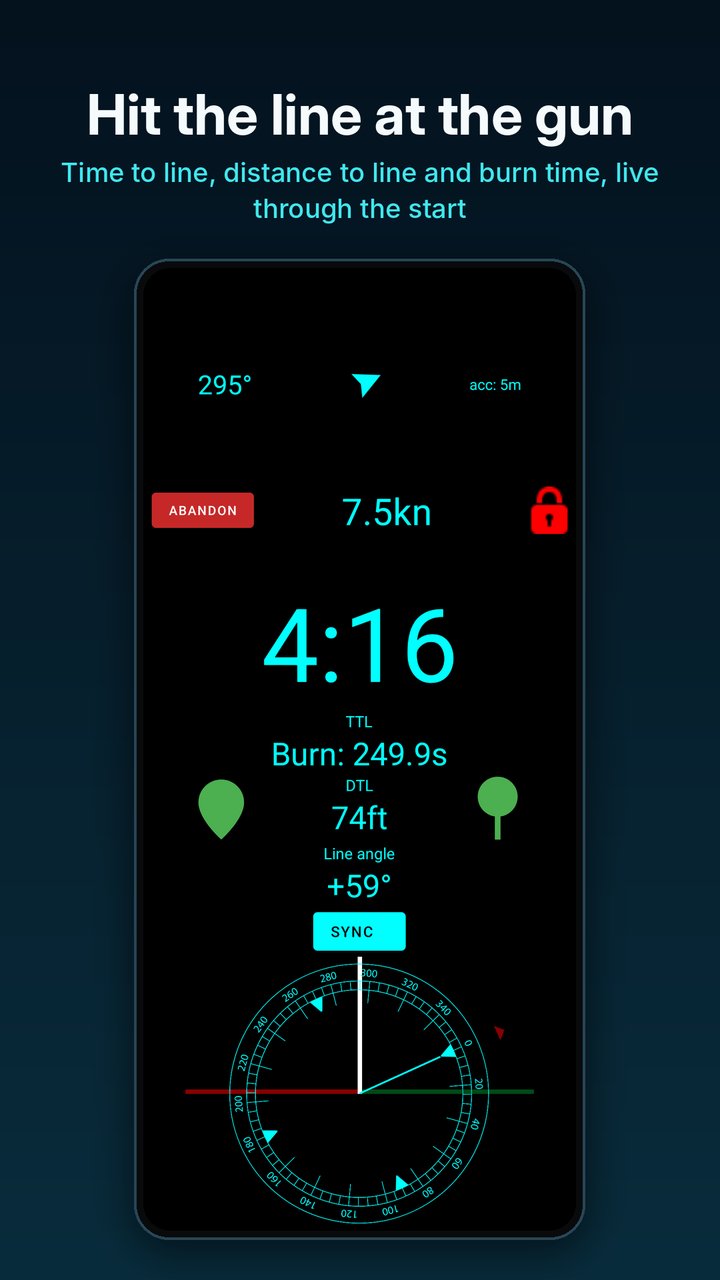
Ping the boat end and the pin end as you sail past each one. From then on the countdown screen shows time to line, distance to line and the angle between your heading and the line, which tells you which end is favoured and whether you are laying it.
Switch the time readout to burn and it shows how many seconds early you would cross if you went now, or how late you are. Sound and vibration alerts count you down, and the sync button lines you up with the committee boat’s signals.
Pursuit races are built in. Set your start as a time of day and the countdown runs to it on both the phone and the watch, so there is no working backwards from a five-minute sequence.
Navigate your club's course
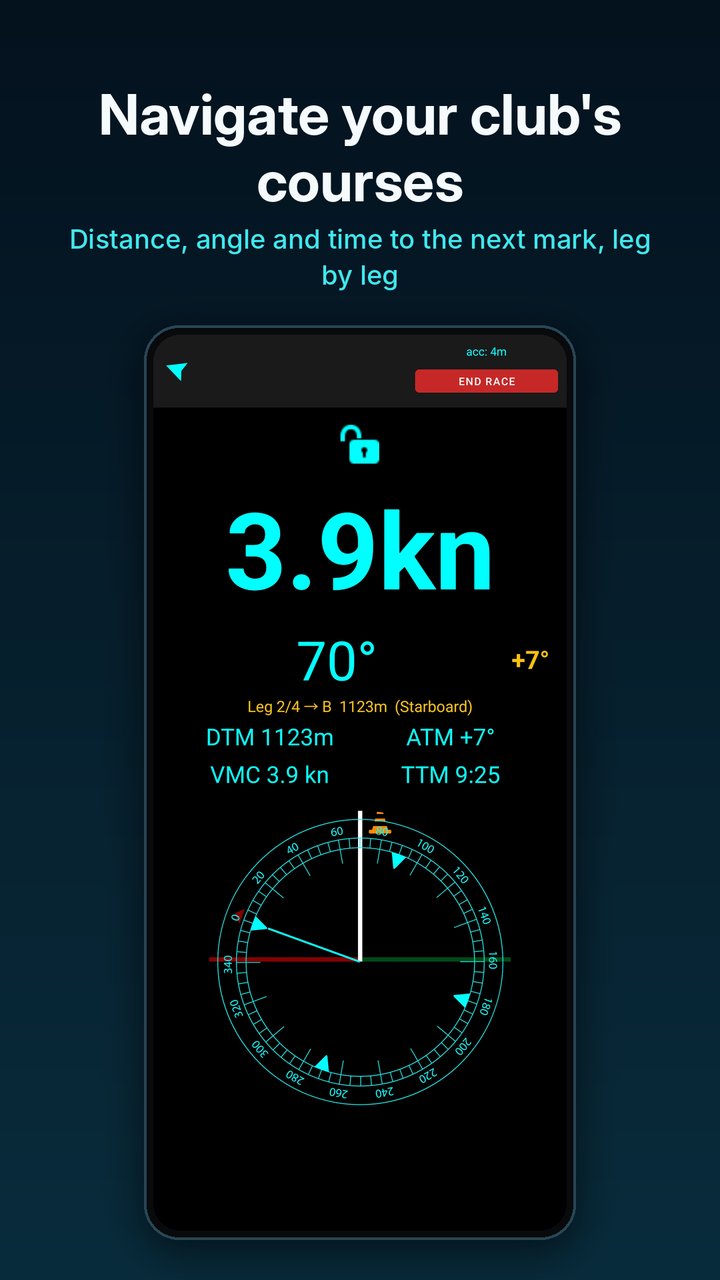
Choose your club and the course for the day and Regatta Racer works through the marks in order. For each leg it shows the next mark and which side to leave it, distance and angle to the mark, velocity made good towards it and an estimate of the time to get there.
Windward/leeward races don’t need a course book at all. Choose windward/leeward mode, and after you round the top mark on the first lap the app pins its position and guides you back to it on every later beat.
Club courses are available for 43 clubs so far.
Race from your wrist
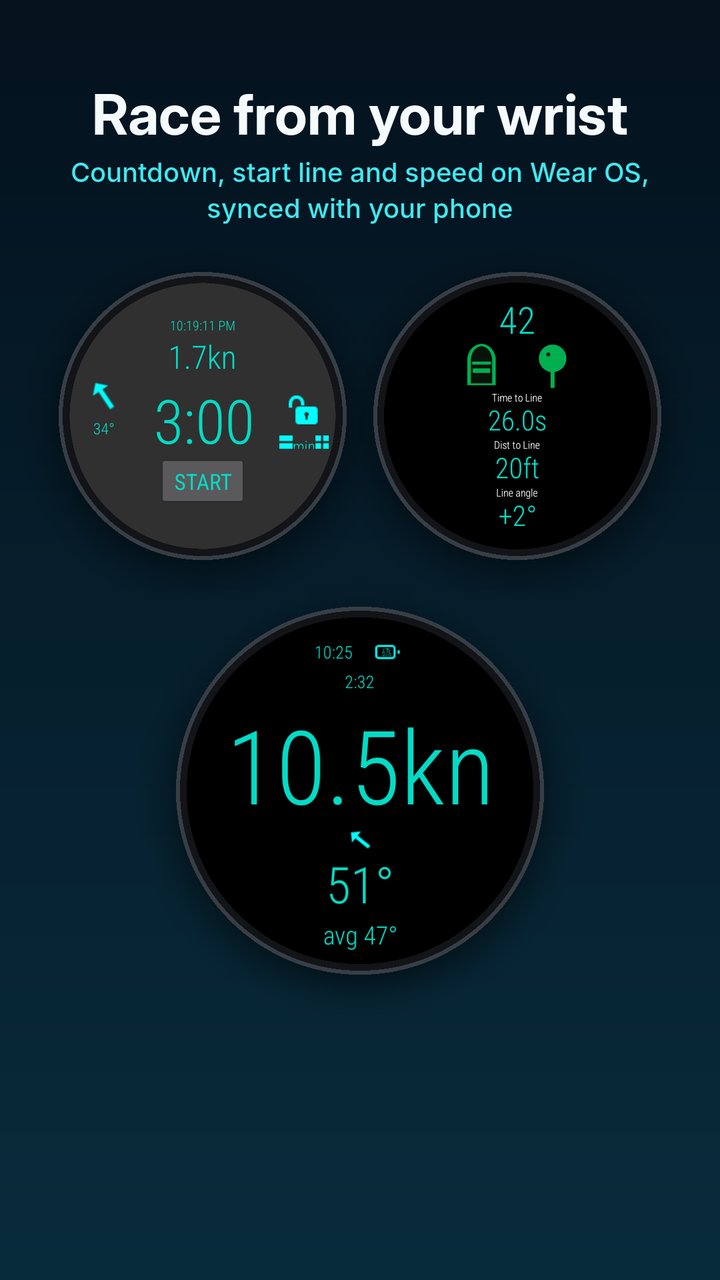
The Wear OS app runs the countdown, start line and racing screens by itself using the watch’s own GPS, so the phone can stay in a dry bag or at home. Pair the two and they stay in step: start or sync the timer on either one and both follow.
There is no account and no server of ours in between. The phone and watch talk to each other directly.
Read it at a glance
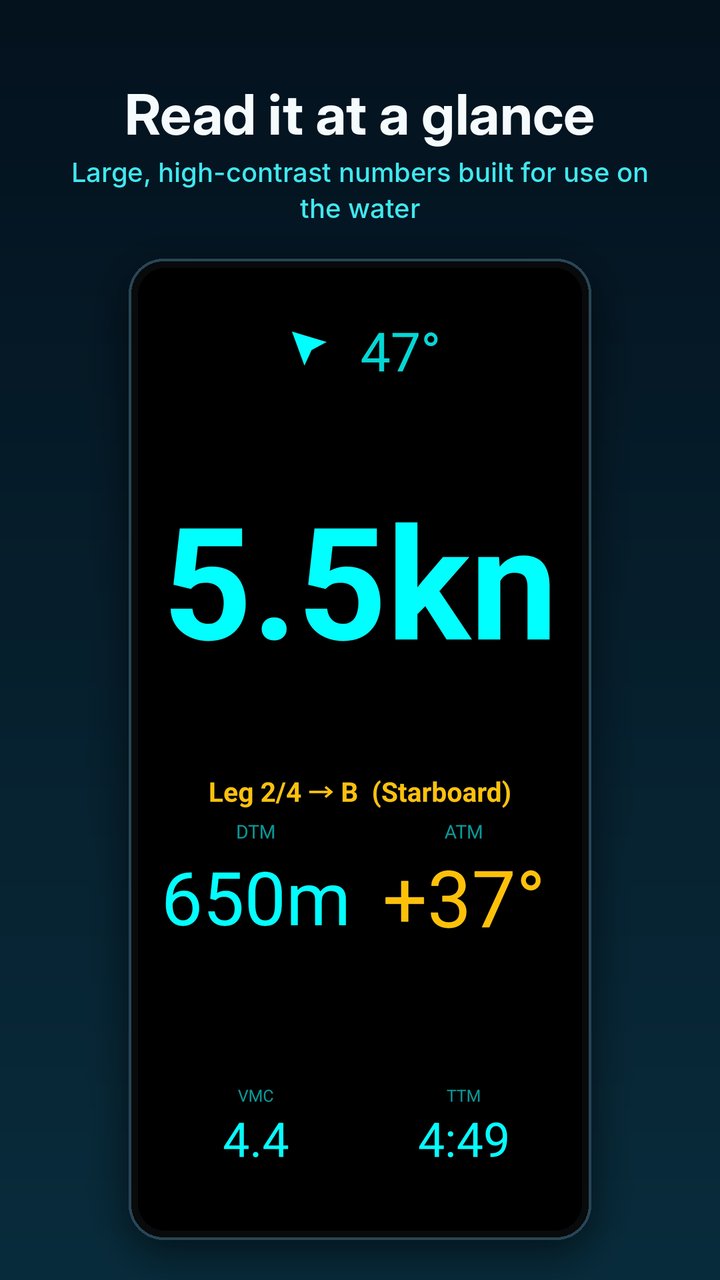
The racing screen is made to be read on a moving boat: large figures for speed and heading, a compass rose, average heading for picking shifts, and a GPS accuracy readout so you know how far to trust everything else.
High contrast is the default theme, with light and night themes as alternatives. Speed can be shown in knots, km/h, mph, m/s or ft/s, and the screen locks so spray and stray fingers don’t change anything.
Replay every race
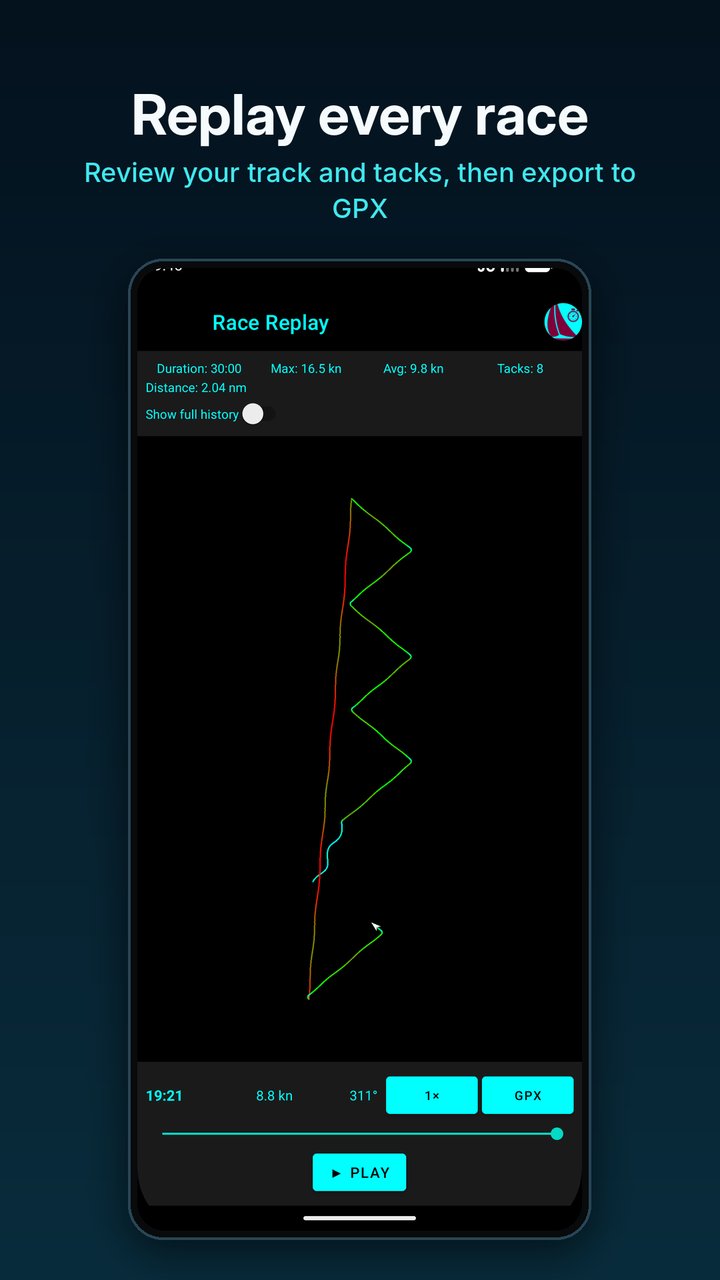
Each race is saved on your device. Afterwards you can play your track back at up to 120 times speed, see where you tacked and how your speed changed along the way, and export the race as a GPX file for other sailing or mapping software.
Free and paid
The countdown timer and speed display are free to use, with no time limit.
Start line tools, windward/leeward navigation and race replay are free for your first five races, along with five GPX exports. After that they need a Premium subscription, monthly or annual.
Club course navigation is an add-on to Premium for one club, three clubs or all clubs. Your first three course races at your own club are free.
What you need
- An Android phone running Android 11 or later
- A Wear OS watch, such as a Samsung Galaxy Watch4 or later, if you want it on your wrist (optional)
- GPS switched on. Mobile data isn't needed on the water
- No account or sign-up
Where to get it
Regatta Racer is on Google Play. One listing covers both apps: install it on your phone, then install the watch app from the Play Store on your watch.
What's next
Regatta Racer is on Android and Wear OS today. Versions for iPhone and Apple Watch, and for Garmin watches, are planned.
Clubs are added to course navigation as their course books are mapped. If yours isn’t on the clubs and courses list yet, you can request it there.
Common questions
Is Regatta Racer free?
The start countdown timer and speed display are free, with no time limit. Start line tools, windward/leeward navigation and race replay are free for your first five races, along with five GPX exports, and then need a Premium subscription, monthly or annual. Club course navigation is an add-on to Premium.
Does it work on a Samsung Galaxy Watch?
Yes, on Galaxy Watch4 and later, which run Wear OS. Older Galaxy watches that run Tizen are no longer supported.
Does Regatta Racer work on a watch without a phone?
Yes. The Wear OS app uses the watch’s own GPS and runs the countdown, start line and racing screens by itself. Pairing it with the phone keeps the timer in step on both devices.
Why does the watch screen lock during the countdown?
So spray, sleeves and gloves can’t press anything or swipe you out of the app mid-sequence. The lock comes on a few seconds after the countdown starts. Tap the padlock to unlock it, or turn off Automatically Lock Screen in the app’s settings if you would rather lock it yourself.
Will the watch screen turn off during the countdown?
No. The screen stays on from the moment you start the countdown until the gun. To keep it on while racing as well, turn on Keep Screen Awake in the app’s settings. This uses more battery.
How do I stop my Galaxy Watch going back to the watch face?
Galaxy watches return to the watch face soon after the screen goes off. On the watch, open Settings, then Display, then Show last app, and choose the longest option (Within 1 hour). Raising your wrist then brings Regatta Racer back instead of the watch face.
What can I change in the watch app’s settings?
Speed and distance units, Automatically Lock Screen, Long Press to Cancel, Vibrate During Countdown, Countdown Tone, the length of the final countdown alert, Quick Start Length, Tacking Angle (used for laylines), Keep Screen Awake, and which timer shortcuts appear on the home screen. Allow location access when asked, or speed, heading and the start line tools won’t work.
How accurate is time to line?
It is only as good as the GPS fix and the line ends you ping. In open water a phone or watch is usually accurate to a few metres. The app shows the current accuracy on screen and flags it as poor above 20 metres. Ping each end from as close as you safely can, because any error there carries through to every reading.
What start sequences can I time?
Preset countdowns from 1 to 10 minutes and custom times to the second, for standard 5-4-1 sequences, three-minute dinghy starts or anything else your club runs. Alerts can sound, vibrate or both, and the final warning can be set to 5, 10 or 15 seconds.
Can it time a pursuit race?
Yes. Choose Pursuit Race and set your start as a time of day, in hours, minutes and seconds. The countdown runs to that time on the phone and the watch together. If your start is published as minutes after the first start, add it to the first start time. Our pursuit race timing guide has more detail.
How does windward/leeward navigation work without a course book?
Choose windward/leeward mode when you set up the race. After you round the top mark on the first lap, the app pins its position and guides you back to it on later beats, with distance, angle and layline to the mark.
Which clubs have course navigation?
43 clubs in Australia, New Zealand, Hong Kong, Singapore, Ireland, the United Kingdom, Germany and the United States. The clubs and courses page has the full list. Windward/leeward navigation works anywhere.
Is there an iPhone, Apple Watch or Garmin version?
Not yet. Both are planned. Regatta Racer is currently on Android phones and Wear OS watches.
What happens to my location data?
Your track is recorded while a race is running and stored on your device. There is no account, and race data isn’t sent to us. The privacy policy has the details.